Anti-Detect Browsers: How Browser Fingerprints Work and Why Control Them
How anti-detect browsers manage digital fingerprints, create separate browser profiles, work with proxies, and differ from VPNs and incognito mode.
Published
Anti-Detect Browsers: How Browser Fingerprints Work and Why Control Them
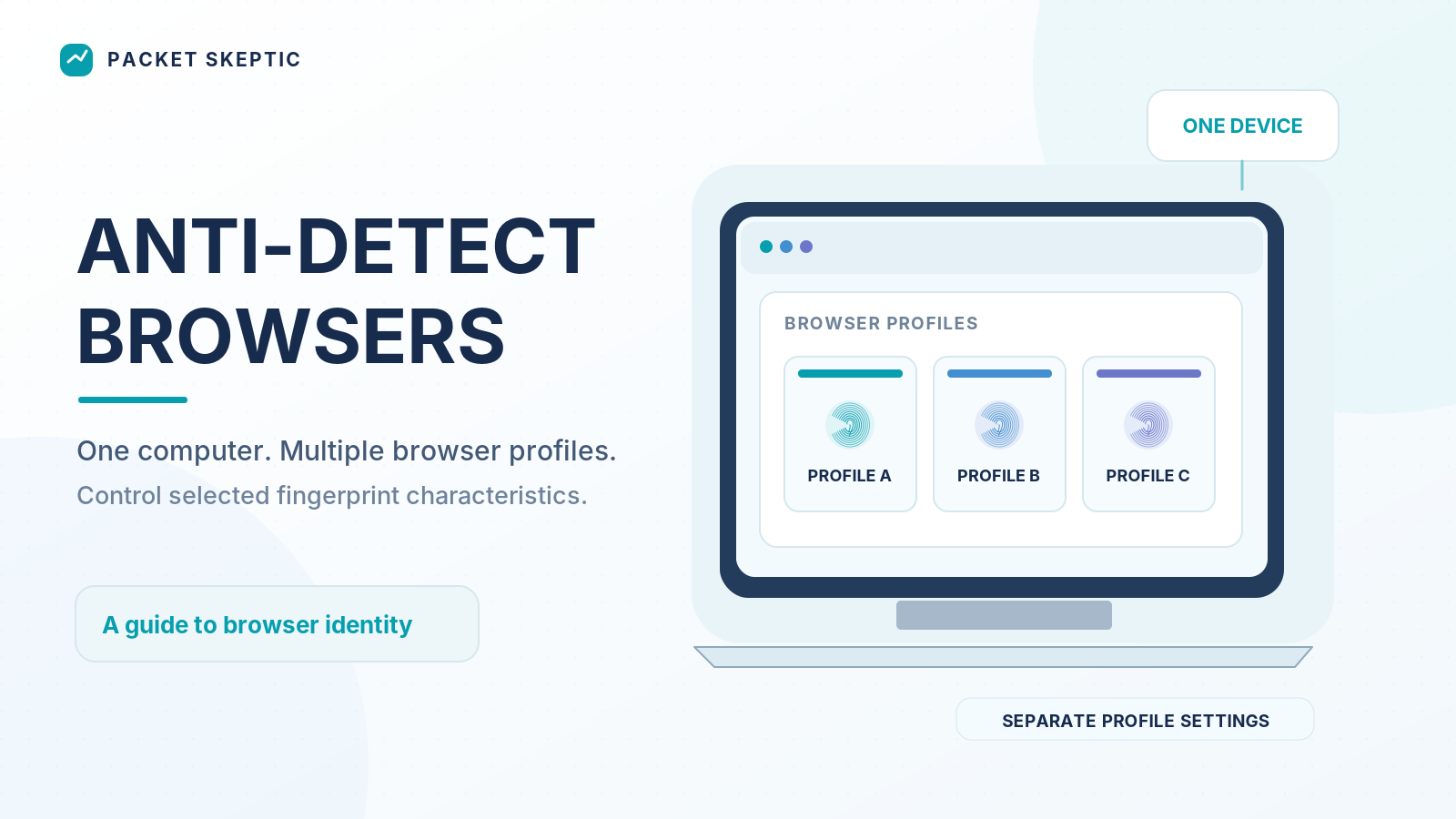
Open a website. You haven't clicked anything yet, signed in, or entered your name or email address. But the website already knows quite a bit about your browser and device.
Which browser are you using? What operating system is installed? What's your screen resolution? What languages and time zone are configured?
And that's far from everything.
Modern websites can examine dozens of characteristics of your browser environment. Combined, these details can help recognize your browser on subsequent visits, even if you've deleted your cookies.
But if a website can collect information about your browser, that raises a question: can you control what information it receives?
That's exactly what anti-detect browsers are designed to do.
Every Browser Has a Digital Fingerprint
We're used to websites using cookies — small pieces of data that help them remember your login, save preferences, and recognize returning visitors.
But cookies are far from the only way to identify a browser.
When a browser opens a webpage, the website can obtain information about its software environment. Some of this information is transmitted directly with network requests, while other details are accessible through JavaScript and browser APIs.
For example:
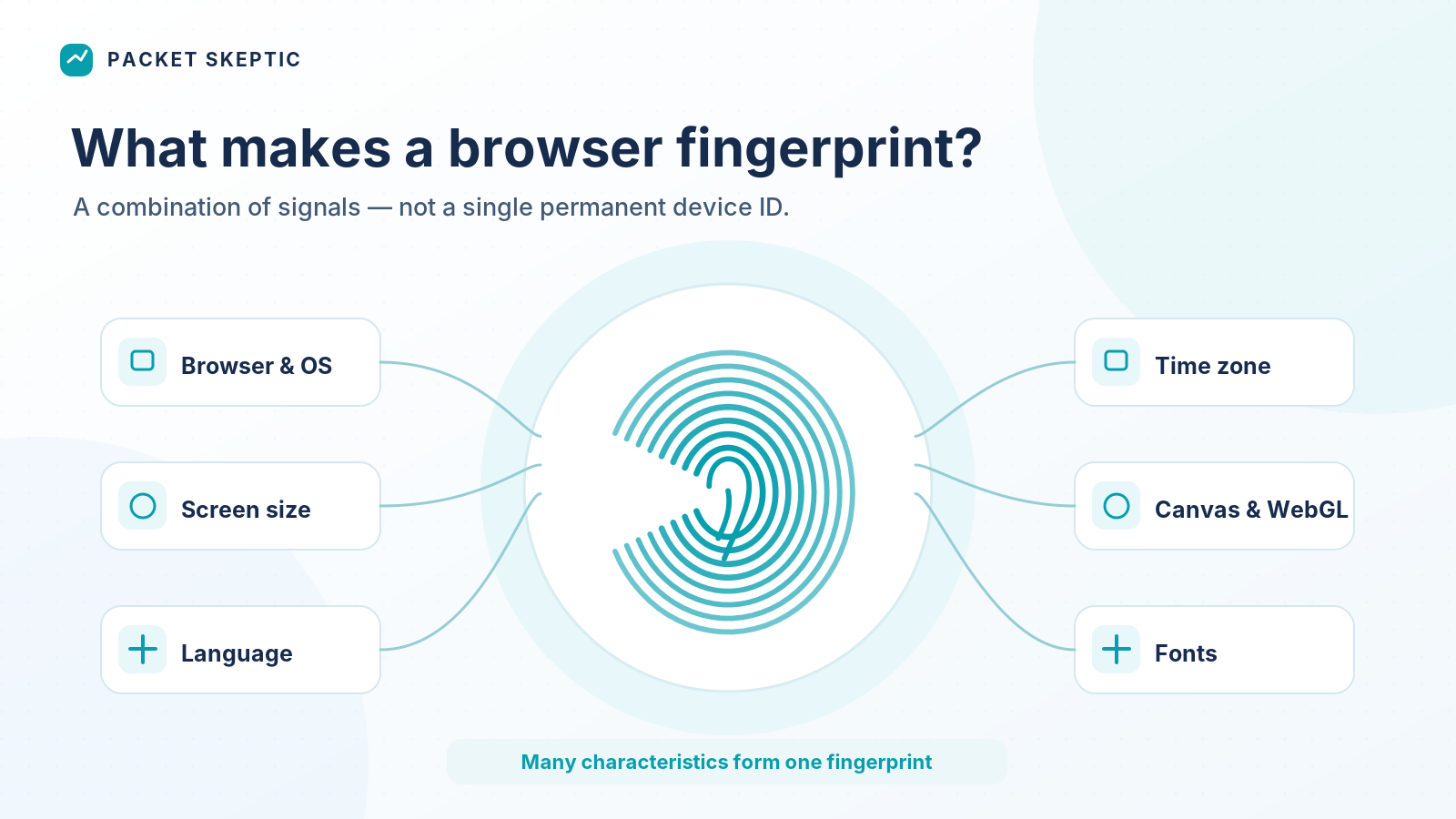
- Browser type and version, along with operating system information.
- Screen and browser window dimensions.
- Interface language and time zone.
- Available graphics capabilities.
- How Canvas and WebGL behave.
- Certain information about fonts and other characteristics of the environment.
Canvas and WebGL are particularly interesting.
Canvas allows a browser to draw graphics, while WebGL enables hardware-accelerated graphics inside a webpage.
A website can ask the browser to draw a particular image and then examine the result. The output can be affected by the browser engine, operating system, graphics card, drivers, and other characteristics of the system.
It's a bit like giving different computers the same task and comparing their results.
Of course, screen resolution alone tells you almost nothing about someone's identity. Millions of devices can share similar specifications.
But a combination of many characteristics can turn out to be quite unusual.
That's how a browser fingerprint is formed.
It's not a computer's passport or a guaranteed unique identifier. Different devices can have matching fingerprints, and the characteristics of a single browser can change over time.
Still, browser fingerprinting makes it possible to compare browser environments and, in some cases, link separate visits together.
And deleting cookies doesn't usually change your fingerprint by itself. After all, your graphics card, operating system, and many settings remain the same.
What Is an Anti-Detect Browser?
An anti-detect browser is a specialized browser or browser platform that lets you create separate profiles and control characteristics that websites use to identify a browser environment.
Consider a regular computer.
It has one operating system, a particular graphics card, a configured screen resolution, and a certain collection of fonts.
If you open several tabs in a regular browser, they'll be running in practically the same software environment.
An anti-detect browser takes things a step further.
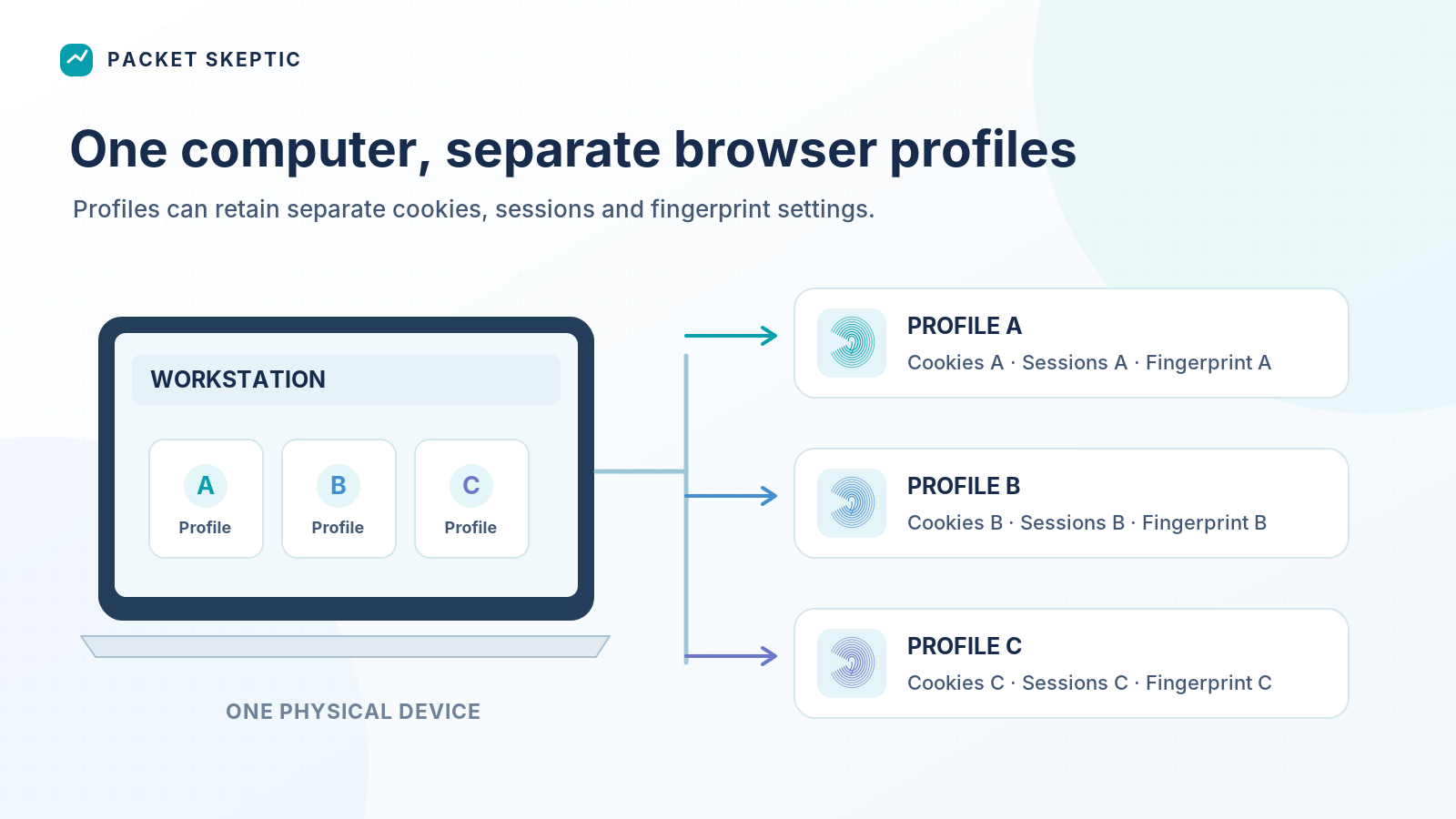
It lets you create multiple independent profiles with different browser fingerprint settings.
For example, one profile might present a particular combination of screen, graphics, and browser characteristics to a website. A second profile could present a different combination. A third could have another set entirely.
Yet the physical computer remains exactly the same.
What changes is the information websites can obtain through the browser.
How does this work under the hood?
Some anti-detect systems modify the values returned to webpages through JavaScript APIs. Others use modified browser engines to control characteristics of the environment at a deeper level.
Depending on the software, you may be able to adjust Canvas and WebGL parameters, the user agent, language, time zone, and other details.
Different anti-detect browsers support different methods of modifying these parameters and implement profile isolation in different ways.
But the basic principle is the same: one physical computer can be used to manage multiple separate browser identities.
Why Not Just Change Everything Randomly?
At first glance, the solution seems simple.
If a website identifies a browser using a collection of characteristics, why not just give it random values every time?
One screen resolution today, another tomorrow. One language now, a different one a minute later.
But in practice, that approach can look strange.
Browser characteristics are connected. The operating system, browser engine, graphics capabilities, and other parameters need to form a reasonably consistent configuration.
If a browser reports one set of characteristics but behaves differently when performing graphics operations, something doesn't add up.
Besides, some characteristics of a normal browser environment are fairly stable. If every visit makes your browser appear to be running on an entirely different computer, with a new graphics card and operating system, that could look even more suspicious than leaving the fingerprint unchanged.
Suppose someone creates a dedicated profile for a work project. They want that profile to keep its cookies, active login sessions, settings, and a relatively stable fingerprint.
The next time they launch it, they want to continue working in the same environment.
That's why modern anti-detect browsers generally let users maintain persistent profiles rather than simply generating random characteristics every time a page loads.
Anti-detect technology isn't just about changing a fingerprint. It's also about keeping that fingerprint consistent and stable.
One Computer, Multiple Workspaces
Consider a marketing agency running advertising projects for several clients.
Each client has separate accounts, settings, workflows, and employees who need access.
The agency could use different browsers, create conventional profiles, and constantly sign in and out of accounts.
Or it could organize its work using separate browser environments.
Some anti-detect platforms allow profiles to be shared between employees, access permissions to be managed, and working environments to be synchronized across devices.
This turns an anti-detect browser from a simple tool for viewing webpages into a platform for organizing work.
These capabilities are useful in several fields.
Digital marketing and traffic arbitrage. Managing working profiles, advertising accounts, and different projects.
E-commerce. Working with separate stores, storefronts, and accounts where platform rules allow it.
Website testing. Checking how services behave with different browser characteristics and environment settings.
Privacy research. Studying fingerprinting, examining identification methods, and comparing the information websites receive from different browser configurations.
And anti-detect browsers aren't necessarily tools for large companies only. The ability to create separate digital environments can also be useful to individual professionals, researchers, or people who simply want more control over their browser identifiers.
How Is This Different from Regular Chrome Profiles?
Google Chrome, Firefox, and other popular browsers also let you create separate profiles.
Each can have its own cookies, browsing history, bookmarks, extensions, and login sessions.
But when several profiles of the same browser run on one computer, they still tend to share very similar characteristics.
They use the same browser engine, operating system, and graphics hardware.
Anti-detect browsers add another layer of control: beyond separating user data, they let you modify some of the characteristics used to build a browser fingerprint.
That's one of the main technical differences.
Why Do Anti-Detect Browsers Use Proxies?
Websites receive more than just browser information. They also see the IP address from which a connection originates.
And that's where another component comes in: the proxy server.
A proxy acts as an intermediary between the browser and the website. When configured appropriately, the website sees the proxy's address instead of the user's original public IP address.
Many anti-detect platforms let you assign a separate proxy to each browser profile.
For example, one project might use one browser profile and one proxy, while another uses a different combination.
Keep in mind that an anti-detect browser doesn't necessarily provide IP addresses itself. Proxies are often purchased or configured separately.
And proxies differ in quality, stability, IP address reputation, and supported protocols.
Choosing a proxy is therefore a separate technical task, not just another browser fingerprint setting.
Anti-Detect Browsers, VPNs, and Incognito Mode: What's the Difference?
All three technologies are related to privacy or managing your digital environment, but they work in different ways.
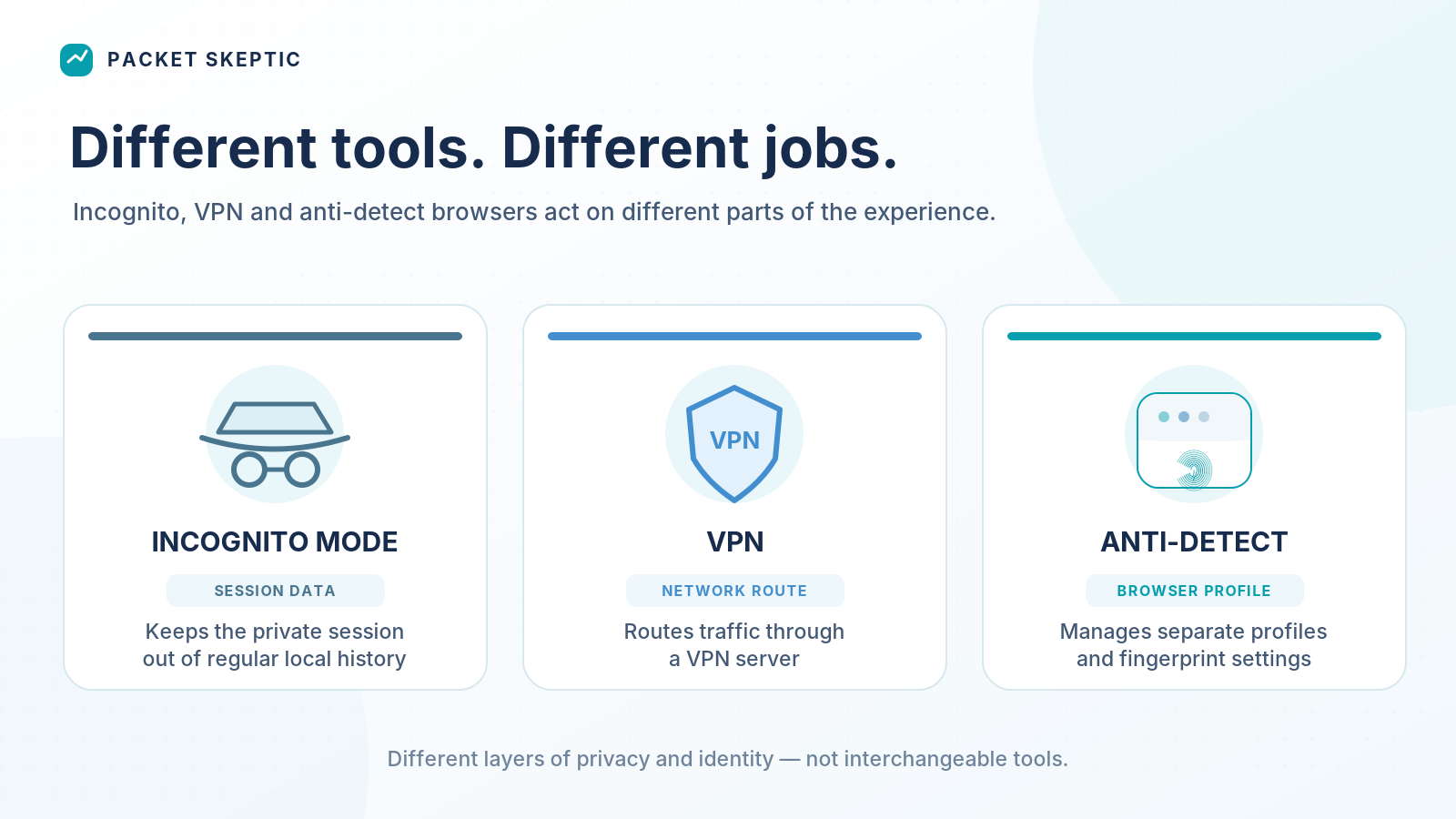
| Tool | Main purpose |
|---|---|
| Incognito mode | Prevent regular browsing history and temporary session data from being retained after the private session ends |
| VPN | Route network traffic through an encrypted tunnel to a VPN server |
| Anti-detect browser | Create separate browser profiles and control some of their fingerprint characteristics |
The differences are easy to see with a simple example.
You connect to a VPN and get a new public IP address. But your browser still sends websites many of the same device characteristics as before.
You open an incognito window. The temporary data from that session is now kept separate from your regular browsing history, but your browser's technical characteristics remain largely unchanged.
An anti-detect browser lets you modify some of those characteristics.
These aren't three versions of the same tool, or three steps on some imaginary ladder of privacy. Each has its own purpose, and they can complement one another.
Can You Completely Prevent Identification?
It's not that simple.
A website can consider more than just your browser fingerprint. It may also use cookies, account information, IP addresses, and other signals.
For example, if someone signs into the same account from two different profiles, the website already has a straightforward way to connect those visits.
Changing a fingerprint therefore doesn't automatically eliminate every possible link between browsing sessions.
Anti-detect technology gives you control over certain browser characteristics, but not every method of identification used on the internet.
Can You Test Whether an Anti-Detect Browser Actually Works?
Yes. At least some of its capabilities can be tested independently.
Several websites are designed to analyze browser fingerprints.
For example:
- Cover Your Tracks — a project by the Electronic Frontier Foundation that explores browser tracking and the uniqueness of browser characteristics.
- BrowserLeaks — a collection of diagnostic tools for inspecting browser and network parameters.
- AmIUnique — a research project studying the uniqueness of browser fingerprints.
You can open one of these services in a regular browser, examine the reported characteristics, and then compare the results with several profiles in an anti-detect browser.
Which characteristics changed? Which stayed the same? How stable is a profile's fingerprint across multiple launches?
There's an even more interesting question: do different diagnostic services report the same results?
One tool may detect differences that another doesn't even consider.
But it's important to distinguish between what a test measures and what its results actually prove.
If a diagnostic website produces two different fingerprints, that confirms a difference according to the algorithm it uses. It doesn't guarantee that every other system will treat those profiles as completely independent devices.
So impressive-looking percentages for "uniqueness" or "undetectability" deserve a critical look. They need to be understood in the context of the specific test, not treated as universal measures of anti-detect performance.
For Packet Skeptic, this is a separate experiment we definitely intend to run.
What Should You Look for in an Anti-Detect Browser?
There are plenty of products on the market, and their capabilities vary considerably.
But comparing them solely by the number of available profiles or the promises in their marketing materials would be too superficial.
First: fingerprint management.
Which characteristics can be modified? How consistently do they work together? Are the settings preserved when a profile is restarted?
Second: browser engine and updates.
Modern websites constantly evolve, and browsers receive regular security fixes. It's worth checking how quickly developers support current engine versions and address compatibility issues.
Third: profile management.
Is it easy to create and organize profiles? Can settings be transferred? Are team features available if you need them?
Fourth: proxies and network settings.
Which proxy types are supported? How easy is it to assign them to individual profiles and check whether connections are working?
And finally: data security.
Browser profiles may contain active login sessions, cookies, and other sensitive information. It's important to understand how that data is stored, protected, and synchronized.
Some platforms offer cloud storage and profile sharing. For teams, that can be a major advantage, but it also means placing trust in the provider's infrastructure.
When choosing a browser, it makes sense to evaluate the combination of technical capabilities, usability, stability, and security rather than focusing on just one feature.
Who Controls Your Digital Identity?
What makes anti-detect browsers interesting is that they change who has control over certain parts of your browser's identity.
For a long time, most users didn't even think about the digital fingerprint their browser left behind. Now there are tools that let people deliberately manage some of those characteristics.
And the question isn't whether everyone needs an anti-detect browser.
There's something more important here.
If our browser has become part of our digital identity, why shouldn't we be able to control that part of it ourselves?
After all, we don't show our passport to every random stranger we meet.
Anti-detect browsers are one of the tools that make that control possible.
Was this article helpful?
Found a factual error?
Technical accuracy matters. Tell us what appears incorrect, and we will review it.